Learn Codex with "Morning Briefing": Six Replicable Layers of Use
Translation: Peggy
Editor's Note: When many people learn AI tools, they often start with model capabilities, Agent architecture, or complex automation concepts, but this actually tends to intimidate the average user. This article provides a more user-friendly approach: instead of understanding what AI is first, start with a daily real-life work scenario—the morning brief.
Using Codex's "morning brief" as an example, the author breaks down how an ordinary person can gradually elevate AI from a simple Q&A tool to a true assistant involved in daily work. The first step is simply to have it connect to Slack, Gmail, and the calendar to inform you of key items for the day; then, standardize outputs in files through agents and personalized preferences; further on, have it run automatically each day, split threads by different projects, and even draft replies, prepare meeting materials, and project memos directly.
The value of this tutorial lies in not turning AI usage into an abstract methodology but breaking down complex capabilities into six actionable levels: from information aggregation to preference consolidation; from periodic reminders to project management; from assisting in judgment to long-term memory. Each level corresponds to a very specific action, allowing users to gradually experience the value of AI in a real workflow without needing to understand what an Agent system is right from the start.
For those who truly want to start using Codex rather than just treating it as a chat window, this is a very suitable beginner's guide to get started.
Below is the original text:
This is the simplest way I know to teach someone how to use AI.
Don't start by talking about models, Agents, or some abstract technical classification. Start from a work scenario that people are already familiar with and quietly make that thing more powerful.
The reason the "morning brief" works is because almost everyone already has a similar workflow, but they usually manage it poorly.
I believe the morning brief is the first Codex workflow that an ordinary person can truly understand.
You wake up in the morning, open Slack, check your calendar, dive into your inbox, then forget why you even opened your inbox; you then go back to Slack, only to suddenly realize there's a meeting in seven minutes, and you have no clue what happened yesterday.
Its appeal is simple: to help me remember what is happening right now.
When we talk about the Codex onboarding process, this is the first workflow that is both practical for daily use and valuable enough to be taken seriously. It started out as a simple targeted prompt. But if you keep iterating, it will eventually evolve into a great model to help people truly transition to using Codex seriously.
Start with things beginners can understand. Then add only one real capability at a time until the shape of the entire system becomes clear.
I think there are six truly different levels here.
The initial version was so small it was almost a little embarrassing.
Connect Slack, Gmail, and Calendar, then ask: Using Slack, Gmail, and Calendar, what do I have going on today?
See if Codex can leap over your three most common information gateways at work to tell you something you really care about.
It might notice a thread in Slack where someone is waiting for your response; it might find a meeting you forgot to prepare for; it might catch an email that will change the context of that meeting.
If it can make your first ten minutes in the morning a little clearer, then it's already working.
The second level is about adding some sustainable directives.
You already have enough raw information gateways to make Codex useful. Now you need to make sure it is not just "helpful" in a generic way every morning.
This is where the agents file comes in handy. It's not some kind of infrastructural esoteric knowledge; it's a place to outline "what this job should look like by default."
For a morning briefing, it might look like this:
Give me a morning briefing.
Focus on:
- People waiting for my response
- Meetings requiring preparation
- Tasks I committed to yesterday but have not completed yet
- Overnight changes affecting today's priorities
Use clear subheadings and bullet points.
Organize the briefing as follows:
- Action Items
- Need Reply
- Project Updates
For each item in "Need Reply":
- Attach the corresponding Slack direct link
- Explain what the other party is waiting for from me
- Provide enough but not excessive context to help me determine whether to reply now
Keep it concise, structured, and easy to skim through.
You don't need to worry about where this document is specifically placed. Just tell Codex:
I'd like you to save this content to your agents file, so that you can use it every time you prepare the morning briefing for me in the future.
Then paste the instructions above. The key is to define your preference once, so that every briefing starts from this foundation thereafter.
You're not aiming for sounding sophisticated. You just want tomorrow morning to be a little less hectic than today.
For other tasks, the instructions will vary. Recruiters may want to group by candidate; engineers may want to separate blockers and code reviews; PR staff may want to split external scans and internal to-dos. But the action is the same: provide Codex with the real context first, then give it your default rules.
The third level is to add periodicity, but I won't teach it as "create an automated task."
I'd say: Every weekday morning, keep an eye on this.
These are the instructions people truly remember.
At the core, yes, you're turning the morning briefing into a periodic automated task. But in practice, you're simply saying: This thing is helpful enough that I want it to come back on its own.
The unit of value is no longer "I remember to ask about it." It's now "the briefing is already there waiting for me."
Furthermore, because it exists in the same thread, you can continuously train it without having to rewrite the prompts from scratch. If it's overly focused on calendar events, you tell it. If it consistently misses follow-up items in Slack, you tell it. If it should separate "Need Reply," "Need Preparation," and "Good to Know," you teach it once and let this thread continue to carry your preferences.
This is also why I prefer threaded versions over some generic scheduled report. The morning briefing will get better as you complain.
Periodic Reminder Words Can Stay Simple:
Every weekday morning, help me keep an eye on this.
Check Slack, Gmail, and Calendar.
Tell me:
- What requires my attention
- What I should prepare for
- Any changes that I might miss
- Anything that seems stuck on my end
Keep it brief.
If there are no significant changes, just state that there are none.
At this point, the morning briefing begins to truly add value. Upon waking up, something has already done the initial round of information triage for you.
Eventually, one master brief will become increasingly blurry.
This point has been made very directly in conversations. I don't actually want to perpetually have a do-it-all daily assistant. Typically, I have multiple project threads, each giving me its own morning brief.
One thread for a particular release.
One thread for a specific project.
One thread for open-source affairs.
One thread for personal affairs delegation similar to a chief of staff.
Each thread has a different definition of "importance."
Project threads care about blocking issues, PRs, decisions, and whether a promised draft has been completed.
A recruiting thread might care about the candidate brief for today's interviews and whether there have been any new background developments overnight.
Personal threads care about messages, schedules, travel, and the low-intensity obligations that have been quietly sitting in the background.
At this point, the significance of pinned threads becomes very apparent. The periodic morning brief is not just a report. It's a way to keep each project "warm" in its own way.
The reason the reminder words get better is that this thread already knows what you mean by "release-related stuff."
At this level, the morning brief should not only tell me what happened. It should also draft out the obvious next steps.
Draft a Slack reply, but do not send.
Organize candidate briefing.
Write meeting preparation notes.
Summarize the thread I should read before replying.
Inform me of the decision that seems to be stuck with me.
A good Level 5 briefing conclusion might look like this: Here are three messages I suggest you prioritize responding to. I have drafted replies for each. Here are two meetings worth preparing for. Here is also a decision that seems to be stuck with you.
I hope the morning briefing takes care of some obvious tasks for me before providing a summary that requires further reading.
This is also a phase where I am starting to use my phone more. If context gathering has happened before I open my computer, I can glance at the briefing while walking, approve a small item, or simply decide what truly deserves my attention once I sit down.
The sixth level is where the morning briefing evolves from just a morning ritual to becoming part of a memory system.
If the morning briefing repeatedly encounters the same people, projects, open-loop items, or decisions, then some of that content should not just reside in the thread but should become persistent information.
Write down important content.
Update project notes.
Document open-loop items.
Incorporate decisions that should not be forgotten.
Retain contexts that will improve next week's briefing.
This is where I start using a vault. Simply put, I like to turn memory into a set of files that can be viewed, compared, and reused across threads.
A minimal viable version might look something like this:
vault/
├── TODO.md
├── people/
├── projects/
├── daily/
├── notes/
└── AGENTS.md
The structure is quite simple:
· TODO.md is used to prevent open-loop items from getting lost in chat history.
· people/ holds persistent context about common collaborators.
· projects/ stores the status of important workflows.
· daily/ provides a place to record key facts for each day.
· notes/ houses looser research content or one-off memos.
· AGENTS.md informs Codex how to use this vault instead of reinventing the structure each time.
You should also update the agents file so that the morning brief reads the vault before output. It could look something like this:
Before composing my morning brief:
- Check TODO.md for open-loop items
- Check people/ for context on relevant collaborators
- Check projects/ for the status of active workflows
- Check notes/ for background info that may have shifted today's priorities recently
By using this vault context, the brief becomes more specific and less forgetful.
Once the brief has enough structure, you can also have Codex use subagents to search in parallel. One could look at unfinished to-dos, one could scan project notes, another could review recent character contexts, and then the main thread assembles the actual brief and updates the underlying documents when something substantial changes. It's not necessary on day one, but when the brief involves enough moving parts, this becomes useful as single-threaded processing starts to feel slow, shallow, or stale.
You can also have Codex review the work you're already doing and ask you questions to help organize the vault better. It might find the same person across three projects, a project without clear notes yet, or your TODO.md mixing personal errands with release-blocking items. This kind of back-and-forth interaction is helpful. When Codex is allowed to ask, "I think this content needs a better place, where should it go?" the vault gets better.
The reason the morning brief gets better is that it can read the vault before running and update the vault after something substantial changes. Tomorrow's project brief could remember the unresolved decision from last week, the person still awaiting a response, or the status record that shouldn't vanish just because the thread got long.
Each level is teaching the user a more sophisticated way to use the Codex, without requiring the user to dive into some grand Agent architecture right away.
Level 1 teaches you to use connectors.
Level 2 teaches you to set default rules through agent files.
Level 3 teaches you periodic tasks through "Watch Me Work."
Level 4 teaches you to create project-level briefs in persistent threads.
Level 5 teaches you the trust boundary we truly care about: draft work for me but don't impersonate me.
Level 6 teaches you the truly compounding part: store persistent context in the vault to make tomorrow's brief smarter than today's.
This is why I use the morning brief to teach Codex. It starts as a simple summary and ends up being a miniature operating system.
Recommended
Desk: Brent Crude Tops $110, Musk's Net Worth Drops 528.6 Billion in Four Days After Tesla Roadster Launch
Oct 17, 21:49
JST Fifth Buyback and Burn Successfully Concludes: Over 170 Million Tokens Worth Approximately $23.53 Million Burned, Buyback Mechanism Set for Comprehensive Upgrade
Oct 17, 20:10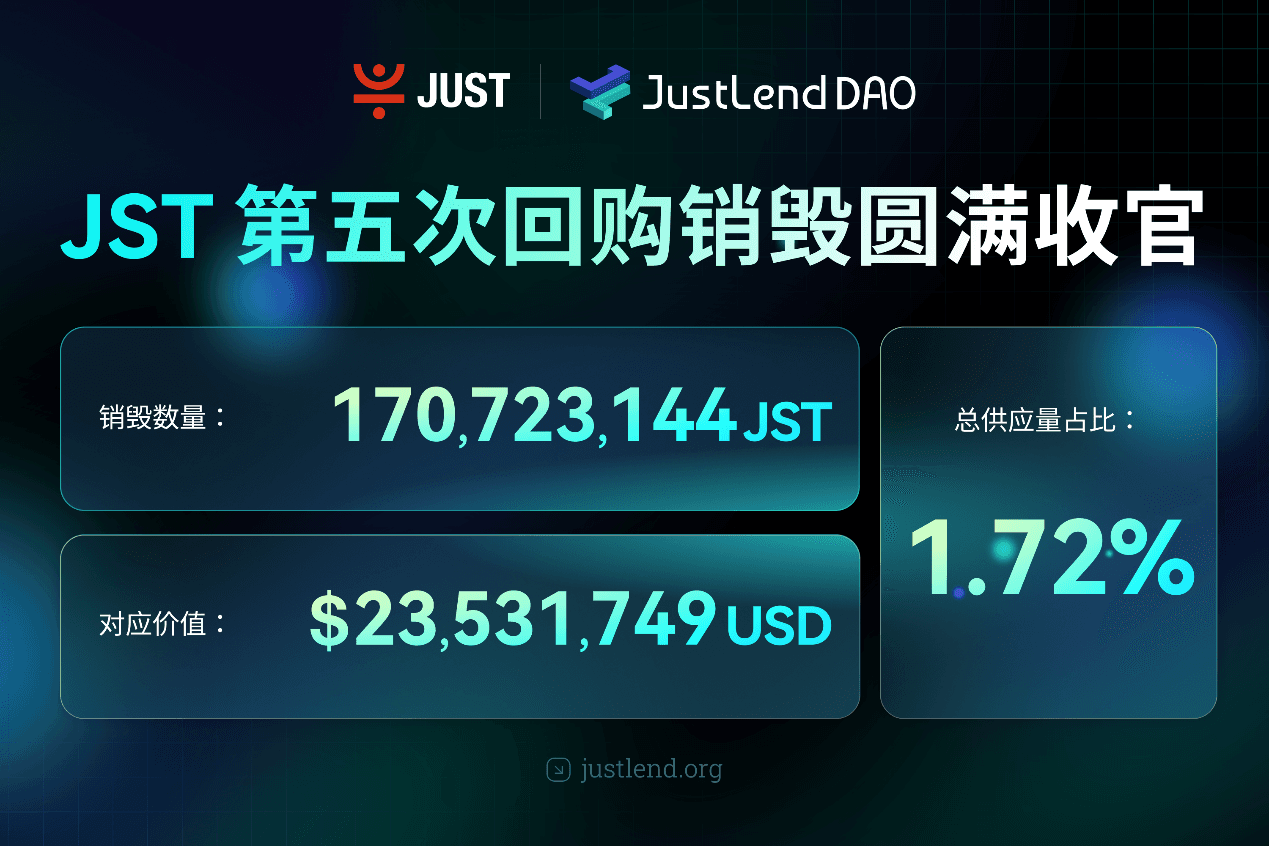
BitTorrent Brand Upgrade and Initial BTT Buyback & Burn Launch Simultaneously, Dual Engines Usher in New Era of Web3 Infrastructure
Oct 17, 20:00
Asia Market Daily: Japan's BOJ signals more rate hikes while Korea targets offshore perpetual platforms (2026/10/17)
Oct 17, 17:01Why did Papertrade backfire on you?
Oct 17, 17:01
The 'Strict Father' of Northern Myanmar: This Company Deploys 200,000 "AI Best Actors" to Strike Back Against Scammers
Oct 17, 15:34