GoPlus: How to prevent browser plug-in hijacking

Recently, a Twitter user had his browser cookies hijacked due to the installation of the Aggr plug-in in the Chrome browser, resulting in asset losses of more than 1 million US dollars
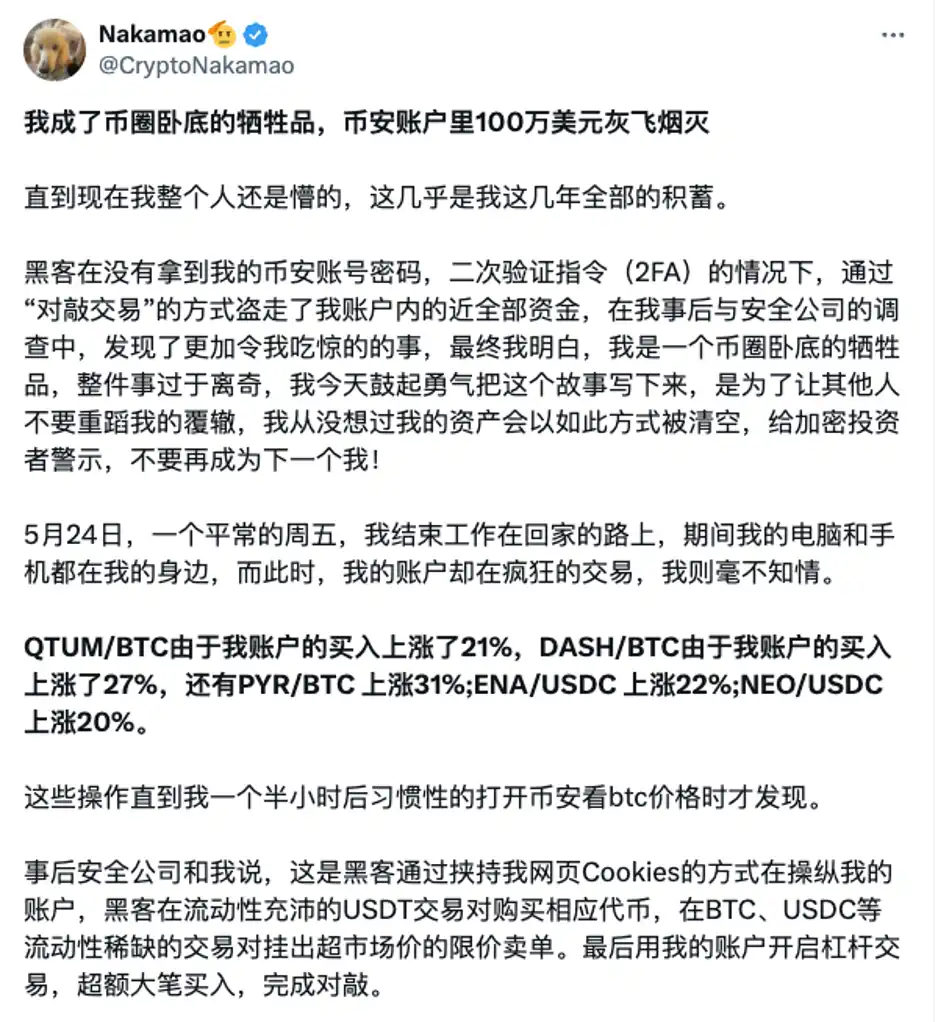
The essence of a browser plug-in (extension) is that the user entrusts the plug-in to process part of the web page information on their behalf, but in fact, it can not only access and modify the original web page information, but also obtain positioning, read/modify the clipboard, read Cookies/history, screenshots, and keyboard records, etc. In other words, these plug-ins can not only obtain information such as Cookies, but also directly determine what the web page we see is like.
Web-based attacks in the browser are basically unrecognizable by the system security mechanism, and the browser cannot recognize whether the access of the plug-in is allowed by the user, so in theory, browser plug-ins are more difficult to identify than the attack behavior of client software.
The GoPlus security team recommends that users improve their security awareness and use browser plug-ins safely by referring to the following methods:
1. Do not use plug-ins (extensions) from unknown sources, and only download plug-ins from the official market.
2. Even official plug-ins may be tampered with by hackers, such as directly replacing the installation package or supply chain attacks. During use, you must pay attention to controlling access rights, not granting unnecessary permissions, and not reading/changing website data on all websites by default. Setting plug-in permissions to [When you click this extension] or [On a specific website] can effectively prevent malicious extensions from obtaining cookies. The steps are as follows:
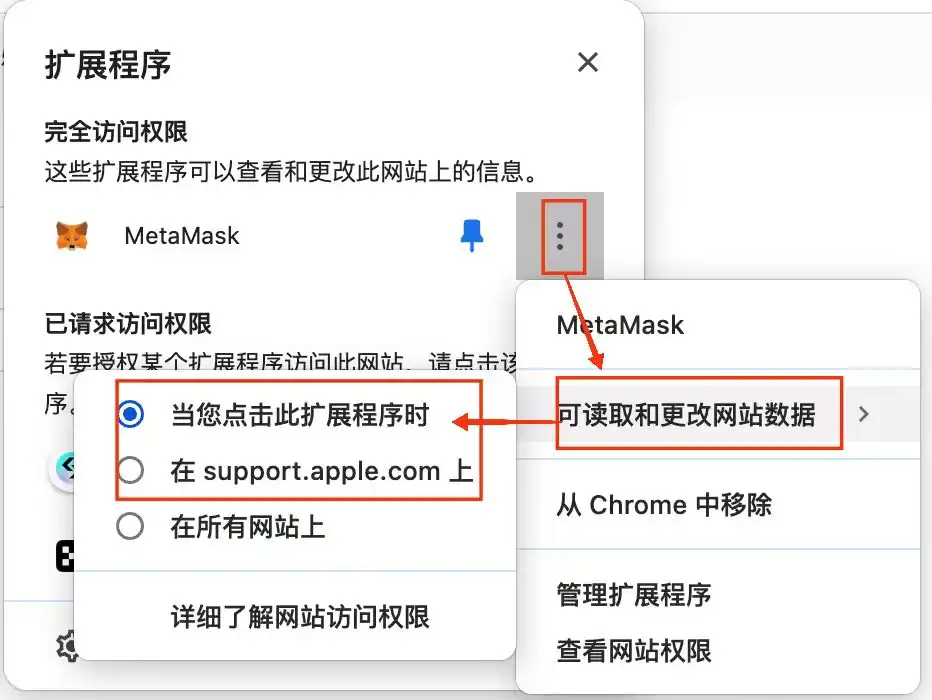
3. Isolate the plug-in browser and the transaction funds browser.
4. Try not to use the web page to log in to the exchange, use incognito browsing for sensitive operations, log out immediately when not using the trading page, and regularly clear browser cache and cookies and other information.
Recommended
The Wall Street Journal: How is AI Trading Stealing the Limelight from Cryptocurrency?
Aug 15, 14:00
Tencent Still Has a Dream
Aug 15, 11:27
To Catch North Korean Hackers, They Set Up a Fake Project
Aug 15, 10:00
From Litigation to Settlement: Positive Signal Released by HTX's Negotiation with FCA
Aug 14, 19:32
11,742 Shipping Addresses Exposed Alongside Trezor Orders
Aug 14, 19:01
Founder Interview: FOMO Creator Explains How They Added 30,000 Users in One Day and Became One of the Fastest-Growing Crypto Apps
Aug 14, 18:37